
Disable or enable a facility
Disable a facility when work there has stopped, for example when a location closes. Its work orders and settings are kept, and you can enable it again at any time.
Who can do this: Admin
What disabling does
Section titled “What disabling does”Until the facility is enabled again, nobody can:
- Create a work order there
- Change a work order, including its status
- Add or delete a note on a work order
- Upload or delete an attachment on a work order
Anyone who opens a work order at the facility sees a message saying it’s disabled.
Everything else stays in place:
- People can still view the facility and its work orders, notes and attachments.
- The facility stays in the facility switcher with a Disabled label, and its card on the Facilities page is dimmed.
- Everyone stays assigned, and you can still change the facility’s settings.
- Finance records aren’t locked, but Finance reminder emails stop for the facility.
Disable a facility
Section titled “Disable a facility”-
Select Facilities in the sidebar.
-
Select the three-dot menu on the facility’s card, then Disable Facility.
-
Type the facility’s name exactly as shown, including capital letters.
-
Select Disable Facility.
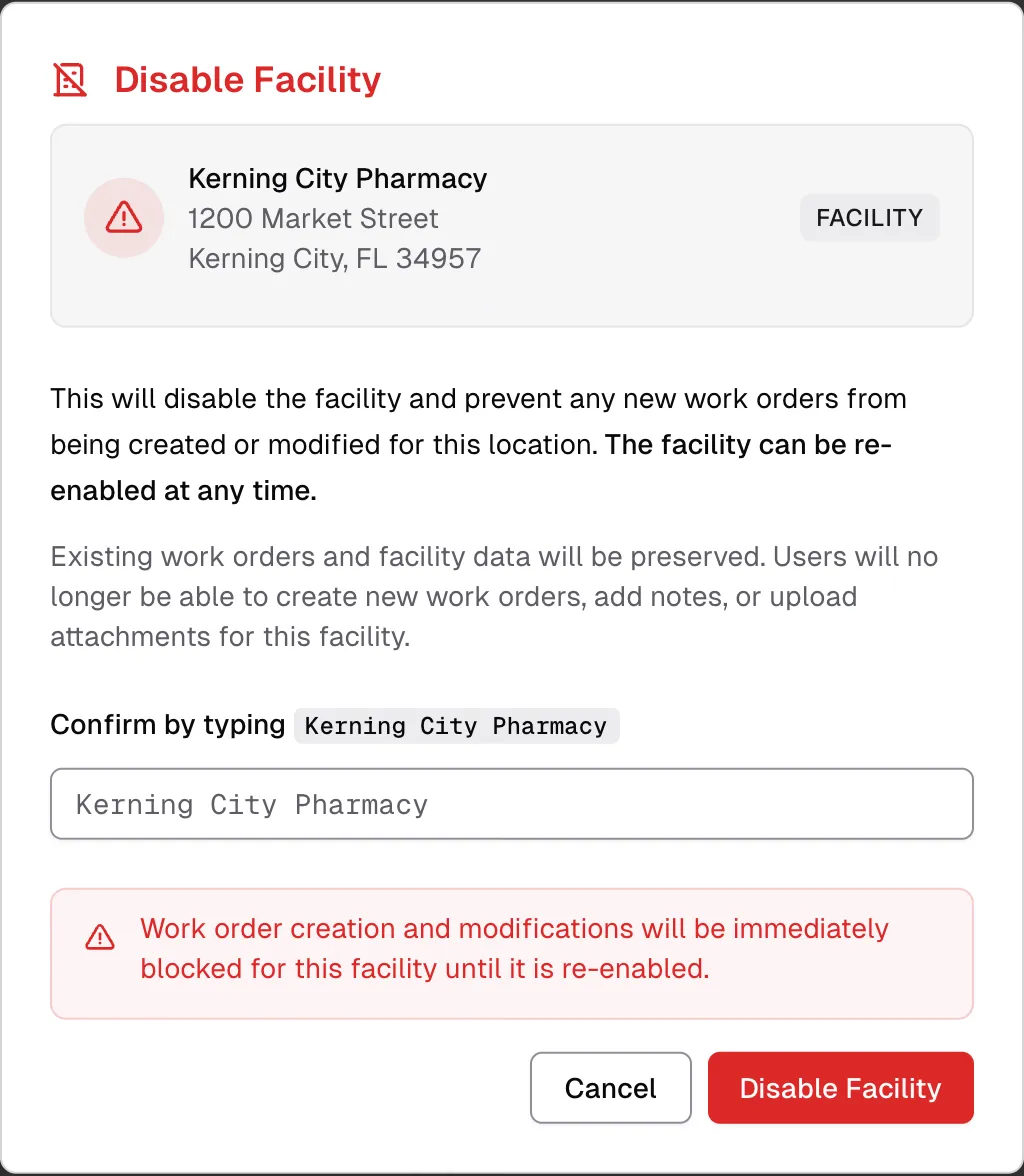
The change takes effect right away.
Enable a facility
Section titled “Enable a facility”-
Select Facilities in the sidebar.
-
Select the three-dot menu on the facility’s card, then Enable Facility.
-
Select Enable Facility to confirm.
People can create and change work orders, notes and attachments there again right away.