
Track service agreements
A service agreement is a recurring arrangement with a vendor, like monthly pest control. Flex CMMS works out the billing periods from the start date and frequency, and flags any period that goes without a bill.
Who can do this: Admin, Manager
In the sidebar under Finance, select Agreements.
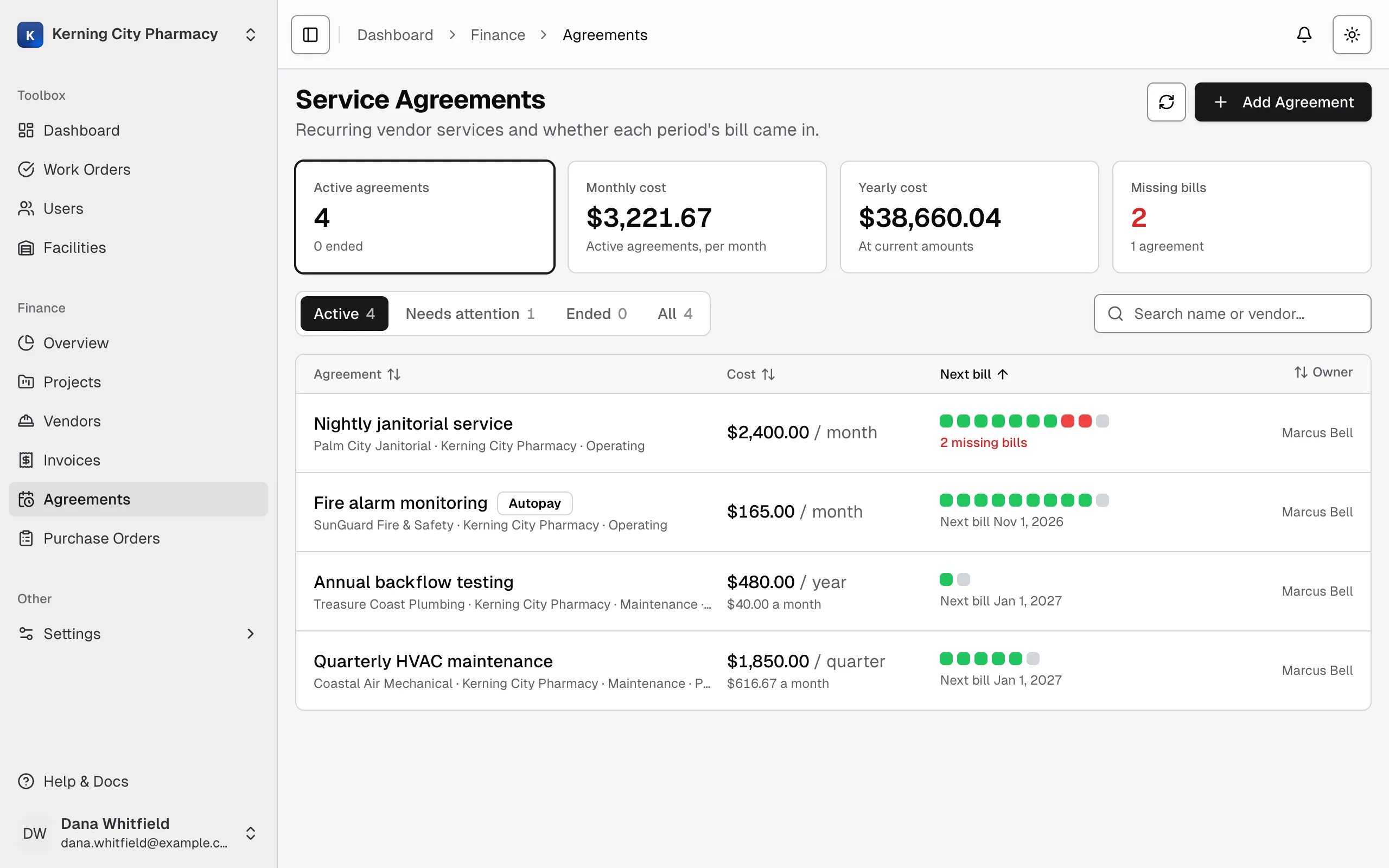
Summary cards
Section titled “Summary cards”| Card | What it shows |
|---|---|
| Active agreements | How many are active, and how many have ended |
| Monthly cost | What active agreements cost per month. A $300 quarterly agreement counts as $100. |
| Yearly cost | The monthly cost times 12, at current amounts |
| Missing bills | How many billing periods have no bill, and how many agreements they’re on |
Search and the facility filter narrow the cards too. An agreement is active until its end date has passed, so one with a later start date already counts.
Tabs and the list
Section titled “Tabs and the list”| Tab | What it lists |
|---|---|
| Active | Agreements that haven’t ended |
| Needs attention | Agreements with a missing bill, including ended ones |
| Ended | Agreements past their end date |
| All | Everything |
Each row shows the vendor, facility, cost type, amount, owner and when the next bill is expected. The colored squares are the most recent billing periods, oldest first. Hold your pointer over one to see its period and status.
Billing period statuses
Section titled “Billing period statuses”| Status | What it means |
|---|---|
| Upcoming | The period hasn’t started |
| Due | The period has started and has no bill yet |
| Missing | The period started more than 15 days ago and still has no bill |
| Billed | It has an invoice with money still owed |
| Paid | Its invoice is paid in full |
A period stays Missing until it has an invoice, even after the agreement ends. You can’t mark a period as skipped. Missing bills also appear on the Finance Overview page and in the reminder email sent to the agreement’s owner.
Open an agreement
Section titled “Open an agreement”Select a row to open the agreement. Its billing periods come first, newest at the top, then its attachments and details. A vendor’s window on the Vendors page also lists its agreements.