
Facilities overview
A facility is a physical location you maintain, such as a pharmacy or a hotel. Work orders, task types, notification settings and Finance records all belong to a facility, so each location keeps its own work and its own rules.
Who can see a facility
Section titled “Who can see a facility”You only see the facilities you’re assigned to, plus any you created. This applies to every role, including Admins. If an Admin isn’t assigned to a facility, it won’t appear for them anywhere in Flex CMMS.
To give someone access, assign them to the facility. If you have more than one facility, use the facility switcher to move between them.
The Facilities page
Section titled “The Facilities page”Who can do this: Admin, Manager
Select Facilities in the sidebar to see every facility you have access to. Each one has a card showing its name and address, in alphabetical order. Empty gray cards are only there to fill out the page.
A dimmed card with a Disabled label is a facility that has been disabled.
Technicians, Tenants and Viewers don’t have Facilities in their sidebar. If they open a link to the page, Flex CMMS takes them to the Dashboard.
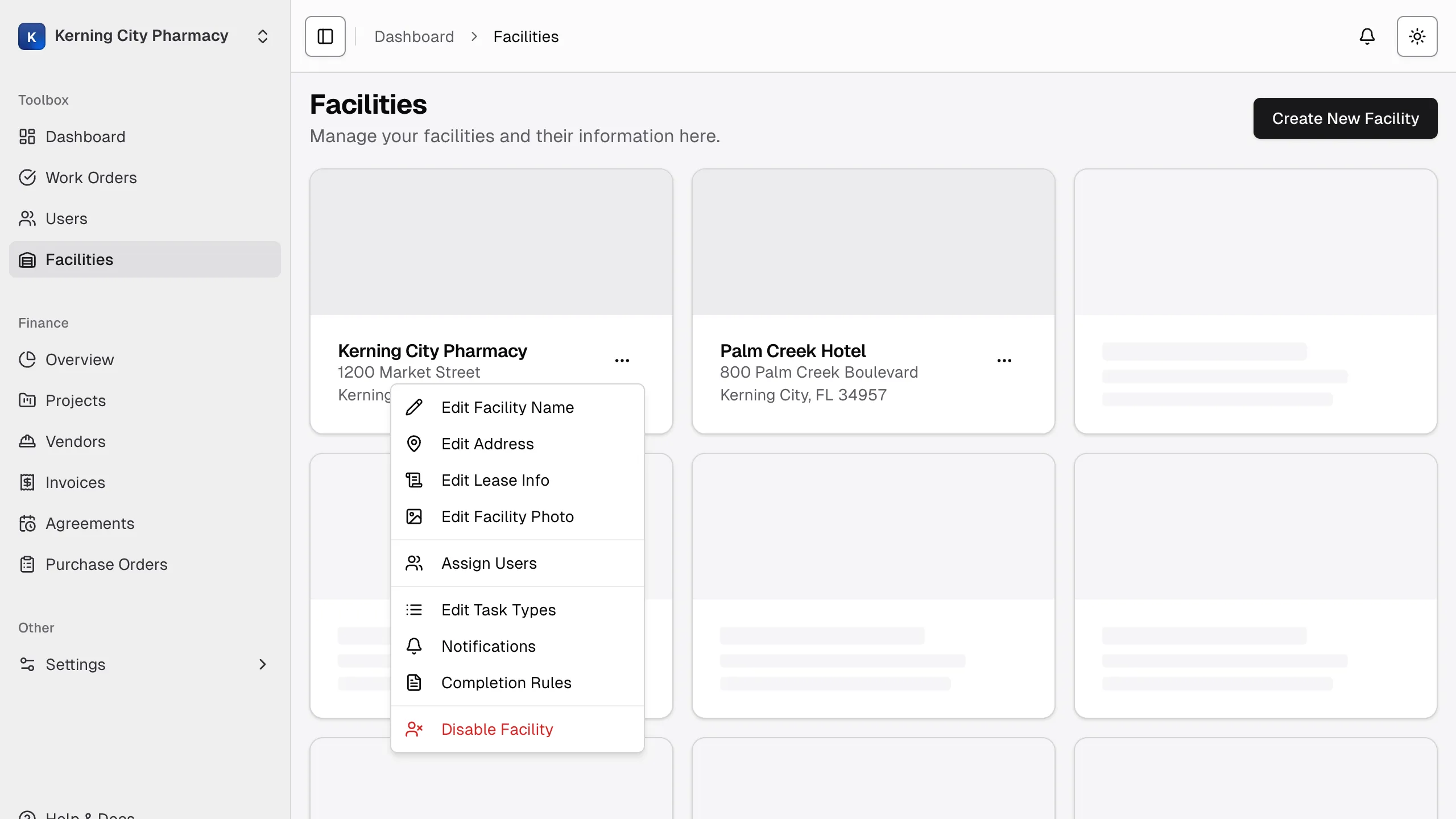
The facility menu
Section titled “The facility menu”Select the three-dot menu on a facility’s card to manage it:
- Edit Facility Name and Edit Address: change the facility’s details.
- Edit Lease Info: record the lease and its contacts.
- Assign Users: choose who has access.
- Edit Task Types: change the task types offered on work orders.
- Notifications: set up work order notifications and Finance notifications.
- Completion Rules: decide what’s needed to close a work order. See completion rules.
- Disable Facility or Enable Facility: stop or restart work at the facility.
Admins can use everything in this menu. Managers can use everything except Assign Users, Disable Facility and Enable Facility.