
Add a facility's lease info
Keep a facility’s lease details and contacts in one place. New Finance projects at the facility start with these details, so you don’t have to enter them each time.
Who can do this: Admin, Manager
-
Select Facilities in the sidebar.
-
Select the three-dot menu on the facility’s card, then Edit Lease Info.
-
Under Lease, fill in what you have. Every field is optional.
-
Under Lease contacts, add the people on the lease.
-
Select Save lease info.
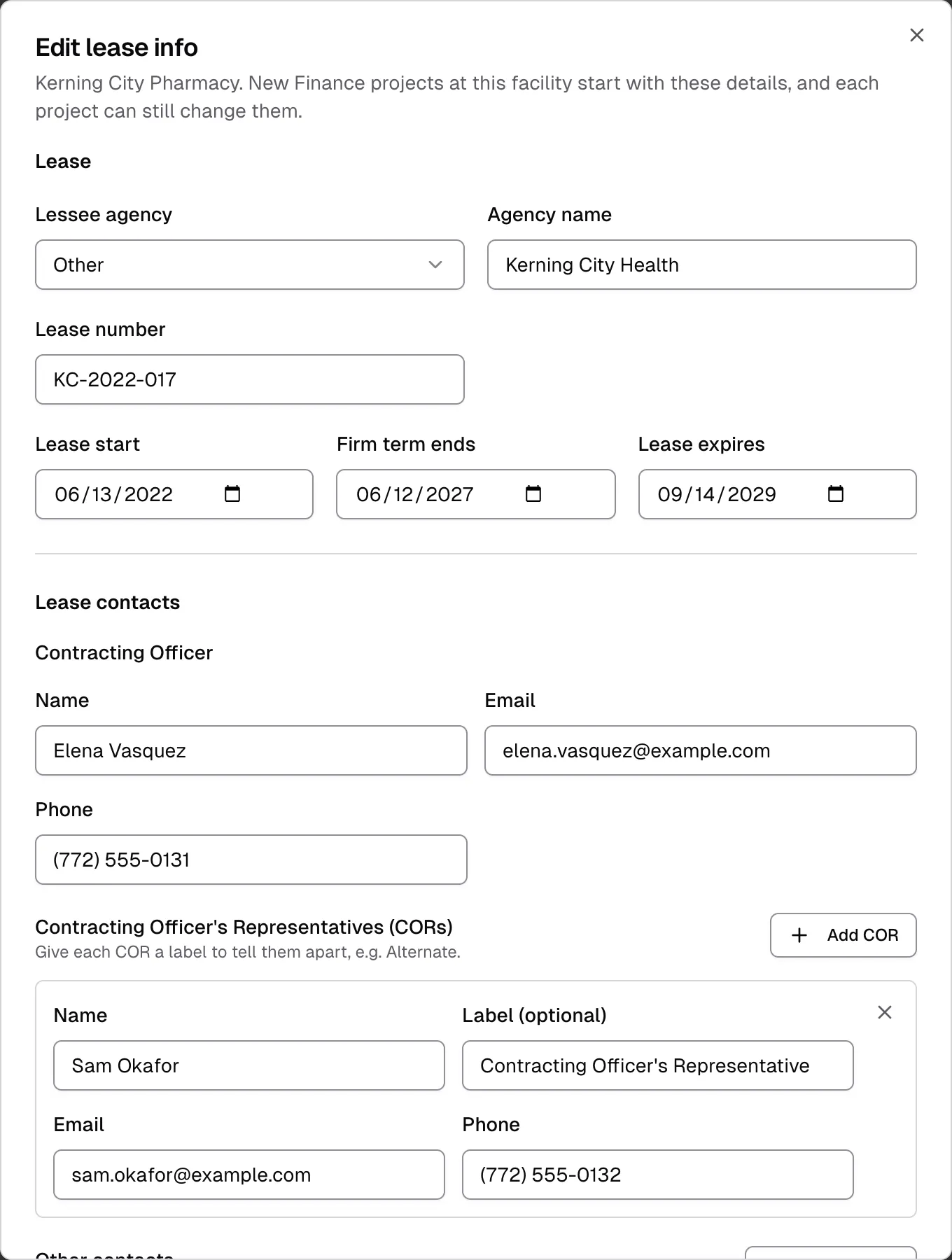
If you close the window with unsaved changes, Flex CMMS asks whether to discard them. The bottom of the window shows when the lease info was last updated and by whom.
Lease details
Section titled “Lease details”- Lessee agency is Not specified, GSA, VA or Other. If you choose Other, enter the Agency name.
- Lease number is the number on the lease.
- Lease start, Firm term ends and Lease expires are the lease dates. Firm term ends and Lease expires can’t be earlier than Lease start.
Lease contacts
Section titled “Lease contacts”- Contracting Officer is one person, with a Name, Email and Phone.
- Contracting Officer’s Representatives (CORs) can be as many people as you need. Select Add COR for each one. Use Label (optional) to tell them apart, for example Primary or Alternate.
- Other contacts is for anyone else on the lease. Select Add contact, then use Role to say who they are, for example Lease Administration Manager.
Select the X on a COR or other contact to remove them.
How Finance projects use lease info
Section titled “How Finance projects use lease info”A new project at the facility copies its lessee agency, lease number and contacts. The lease dates stay on the facility.
Each project keeps its own copy, so changing the lease info here doesn’t change existing projects. If an open project’s details differ from the facility’s, the project page says so and offers Update from facility.
If a facility has no lease info yet, the project form says so and offers to save what you enter there back to the facility.
See the Finance overview for more about projects.