
Find your way around
Everything in Flex CMMS starts from the sidebar on the left. What you see in it depends on your role.
On a phone, tap the menu button at the top left to open the sidebar. It closes when you pick a page. On a computer, the same button shrinks the sidebar down to icons.
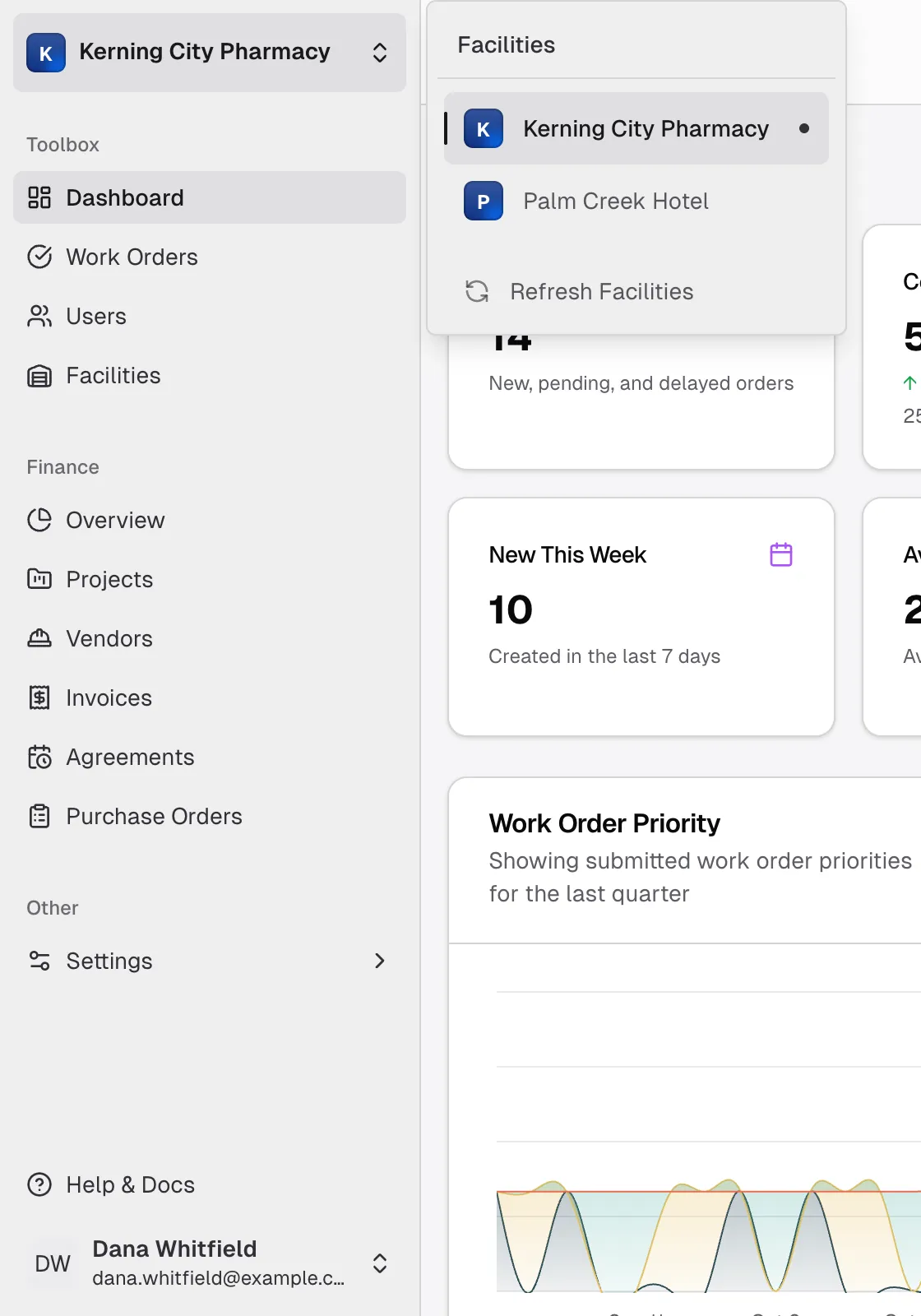
The facility switcher
Section titled “The facility switcher”The facility switcher sits at the top of the sidebar and shows the facility you’re working in. Dashboard and Work Orders show one facility at a time, so check this first if something looks missing.
To change facility, select the switcher and pick another one from the Facilities list. Flex CMMS remembers your choice on that device.
- Refresh Facilities updates the list. Use it if you’ve just been assigned to a facility and it isn’t showing.
- A Disabled label means the facility has been turned off.
- “No facilities are assigned to you” means you can’t see any work orders yet. Ask your company’s Admin to assign you to a facility.
The sidebar
Section titled “The sidebar”| Item | What it’s for | Who sees it |
|---|---|---|
| Dashboard | Numbers and charts for the selected facility | Everyone |
| Work Orders | The work orders at the selected facility | Everyone |
| Users | Inviting and managing people in your company | Admin |
| Facilities | Creating facilities and changing their settings | Admin, Manager |
| Finance section: Overview, Projects, Vendors, Invoices, Agreements, Purchase Orders | Project and money tracking | Admin, Manager |
| Settings: Profile, Account, Appearance, Notifications | Your own preferences | Everyone |
Technicians, Tenants and Viewers all see the same sidebar. Viewers can open Work Orders, but they can’t create or change anything there.
Your user menu
Section titled “Your user menu”Your name is at the bottom of the sidebar. Select it to open Profile, Account, Appearance and Notifications, or to Log out.
The top bar
Section titled “The top bar”- The path at the top left shows where you are in the app.
- The bell opens your notifications. Use Mark all read to clear them.
- The theme button next to the bell switches between Light, Dark and System.