
How purchase orders work
A purchase order (PO) approves spending with a vendor before the bill arrives. You draft it, an Admin approves it, you send it to the vendor, and invoices are billed against it until it’s closed.
Who can do this: Admin, Manager
In the sidebar under Finance, select Purchase Orders.
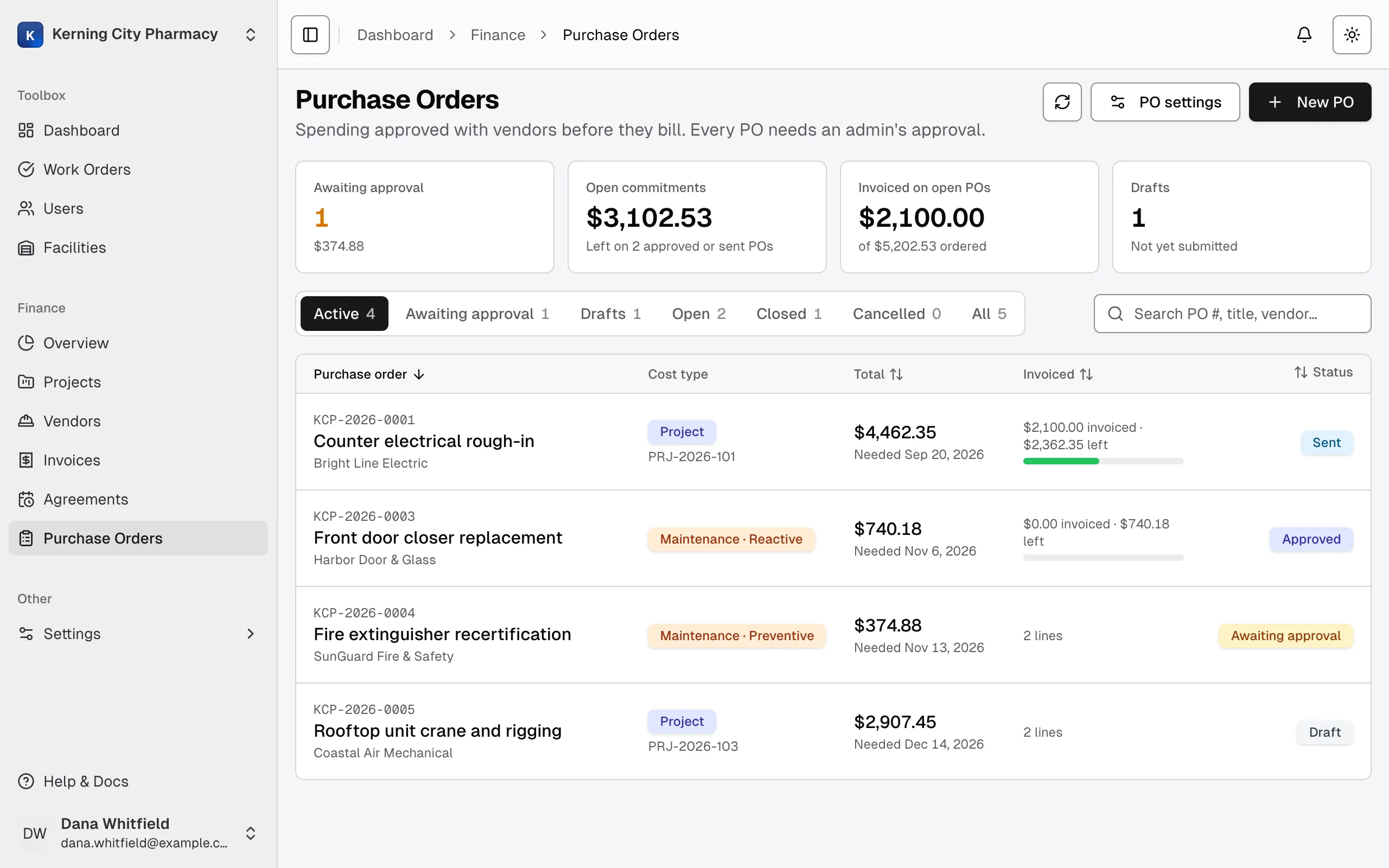
PO statuses
Section titled “PO statuses”| Status | What it means | What can happen next |
|---|---|---|
| Draft | Being written. Only drafts can be edited. | Submit for approval, or cancel |
| Awaiting approval | Submitted and waiting for an Admin | An Admin approves it or sends it back. Admins and Managers can also revise or cancel it. |
| Approved | Can be sent to the vendor and take invoices | Mark as sent, close, revise or cancel |
| Sent | You’ve sent it to the vendor, and it can take invoices | Close, revise or cancel |
| Closed | Finished, and takes no new invoices | Reopen |
| Cancelled | Stays on record, and can’t be used again | Nothing. This is final. |
Who can do what
Section titled “Who can do what”Managers can draft a PO, submit it, mark it as sent, close or reopen it, send it back to draft with Revise, and cancel it. Only an Admin can approve a PO, send one back, delete a draft or change PO settings.
Summary cards
Section titled “Summary cards”| Card | What it shows |
|---|---|
| Awaiting approval | How many POs are waiting for an Admin, and their total |
| Open commitments | What’s left on Approved and Sent POs. If a PO is invoiced past its total, the extra subtracts from this figure. |
| Invoiced on open POs | What’s been billed on those POs, out of the total ordered |
| Drafts | How many POs haven’t been submitted |
The Finance Overview page shows a similar figure called Open PO balance, but it counts an over-invoiced PO as $0, so the two can differ.
Tabs and the list
Section titled “Tabs and the list”The tabs are Active, Awaiting approval, Drafts, Open, Closed, Cancelled and All. Active hides closed and cancelled POs, and Open shows only Approved and Sent ones.
Search by PO number, title, vendor or project. If your POs cover more than one facility, you can filter by facility. Select a row to open the PO’s page.
How a PO connects to other records
Section titled “How a PO connects to other records”A PO has a cost type, like an invoice, and belongs to one vendor and facility. It can link to a project and its bid, or to a work order.
- Invoices billed against a PO add up to its Invoiced total. Void invoices don’t count. See Send, bill and close a purchase order.
- Service agreements can point at a PO that authorizes them. They’re listed on the PO’s page. Their bills count toward the PO only if you choose the PO on the invoice.
- Projects show when a linked PO is drafted, approved, sent or cancelled in the project’s Activity tab. A project page has no list of its POs, so search for the project number here.